
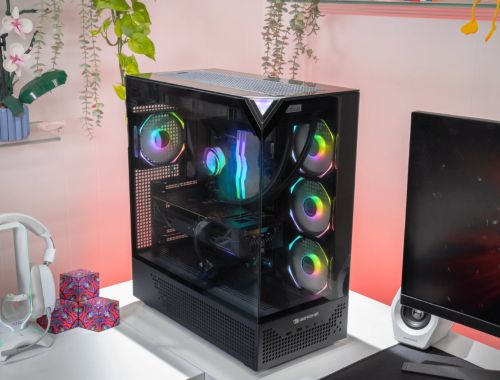
Lag, low frame rates, and overheating can ruin even the most exciting games. Many players deal with slow load times or weak visuals, which take away from the experience. A basic setup may handle simple tasks, but it often struggles when games demand more power and stability.
The right upgrades can completely change how your system performs. Even small improvements can boost speed and visuals. A well-optimized gaming PC delivers smoother gameplay and better control. If you want stronger performance, check these factors and read this article to gain more knowledge before upgrading.
Upgrade Your Graphics Card for Better Visuals
The graphics card has the biggest impact on how games look and feel. A weak unit often causes lag, screen tearing, or low detail levels. Upgrading this component improves frame rates and visual clarity in a noticeable way.
A strong graphics card supports high-resolution gaming and smoother motion. It also allows advanced features like better lighting and texture detail. This change makes games feel more realistic and responsive. Many players consider this the most effective upgrade for improving their setup.
Increase Memory for Smoother Gameplay
Memory helps your system handle multiple processes during gameplay. Low memory can lead to stutters, delays, and reduced performance. Increasing memory capacity allows games to run more smoothly.
More memory also supports background tasks such as streaming or voice chat. It ensures your system can manage everything without slowing down. A balanced memory setup keeps gameplay consistent during long sessions. This upgrade improves both speed and reliability.
Switch to Solid-State Storage for Faster Loading
Storage speed plays a key role in system performance. Traditional hard drives can slow down load times and overall responsiveness. Solid-state drives provide much faster data access.
This upgrade reduces wait times when launching games or switching between levels. It also improves how quickly your system responds to commands. Faster storage makes your setup feel quicker and more efficient. It is one of the easiest upgrades that delivers noticeable results.
Improve Cooling for Stable Performance
Heat can affect performance and cause your system to slow down. Proper cooling keeps all components at safe temperatures during intense gaming sessions. Without good cooling, performance may drop when it matters most.
Cooling options include high-quality fans and liquid systems. A well-planned airflow setup helps maintain stability. Lower temperatures support consistent speed and protect your system. This upgrade ensures reliable performance even during extended use.
Upgrade Your Processor for Faster Response
The processor manages game logic and system tasks. A slow processor can limit performance, even if other parts are strong. Upgrading it improves speed and responsiveness.
A powerful processor supports modern games that require more computing power. It also improves multitasking, which helps during streaming or recording. This upgrade works best alongside other strong components. Faster processing leads to smoother gameplay and better control.
Choose a High-Refresh Rate Monitor
The monitor affects how you experience your games visually. A standard display may not show motion clearly during fast scenes. A high-refresh-rate monitor improves smoothness and reduces motion blur.
This upgrade helps you react faster and see details more clearly. It improves both comfort and precision during gameplay. A better display enhances the overall experience and makes games feel more immersive. Many players notice immediate benefits after switching.
Use Quality Audio for Better Immersion
Audio quality plays a major role in gaming. Basic sound systems may miss important details. High-quality headphones or speakers provide clearer and more accurate sound.
Better audio helps you detect in-game cues such as footsteps or environmental effects. It creates a more immersive experience and improves focus. Clear sound also supports better communication in multiplayer games. This upgrade adds depth and enhances overall enjoyment.
Optimize Peripherals for Better Control
Peripherals affect how you interact with your system. A responsive keyboard and precise mouse can improve gameplay performance. Poor-quality accessories may limit your experience even with strong internal components.
Upgrading peripherals enhances comfort and control. A good chair and proper desk setup also improve posture during long sessions. A complete gaming PC includes both internal upgrades and well-chosen accessories. This balance creates a smoother and more enjoyable experience.
Quick Checks Before Upgrading Your Setup
A few simple checks can help you avoid problems and make better upgrade decisions.
- Confirm compatibility between all components
- Check the power supply capacity for new parts
- Ensure enough space inside the case
- Review cooling support before upgrades
- Plan upgrades based on your gaming needs
These steps help create a balanced setup. Careful planning leads to better performance and fewer issues.
Upgrading your system can greatly improve your gaming experience. Each change adds value by improving speed, visuals, or stability. A balanced approach ensures all components work together effectively. From graphics upgrades to better cooling and peripherals, every improvement contributes to a stronger setup. With proper planning and smart choices, you can build a system that delivers smooth, immersive, and reliable performance for every game you play.
About the Author