
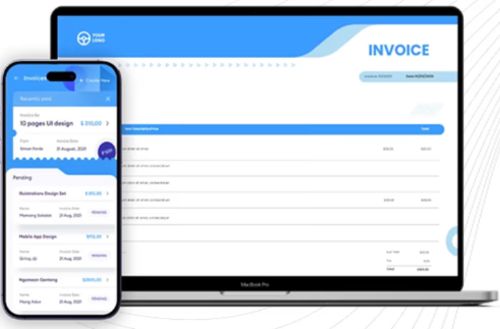
Efficient invoicing is an essential part of running any successful business. Whether you operate as a freelancer, consultant, contractor, or small business owner, creating professional invoices helps ensure timely payments while maintaining strong relationships with clients. Fortunately, modern technology has made invoicing easier than ever through customizable Google Docs invoice templates.
Google Docs allows users to create, edit, and share documents online from virtually any device. When combined with professionally designed invoice templates, it becomes a powerful solution for businesses seeking a simple, organized, and cost-effective way to manage billing.
This article explores the benefits of Google Docs invoice templates, how they improve business operations, and why they are becoming increasingly popular among professionals worldwide.
Understanding Google Docs Invoice Templates
A Google Docs invoice template is a pre-designed billing document that can be edited directly within Google Docs. Instead of creating invoices from scratch, users simply replace placeholder information with customer details, services provided, pricing, taxes, and payment instructions.
Because the templates are stored online, they can be accessed from computers, tablets, or smartphones, making invoicing more convenient than traditional desktop software.
The cloud-based nature of Google Docs also allows businesses to collaborate with accountants, employees, or business partners in real time.
Benefits of Using Google Docs Invoice Templates
Businesses of every size can benefit from using invoice templates designed specifically for Google Docs.
Quick and Easy to Use
One of the biggest advantages is simplicity. Users can generate professional invoices within minutes without advanced design or accounting knowledge.
The template already includes all necessary sections, allowing users to focus only on entering customer and payment information.
Accessible Anywhere
Since Google Docs operates online, invoices remain available wherever there is internet access.
Business owners working remotely or traveling can create, edit, and send invoices without carrying laptops or specialized software.
Real-Time Collaboration
Google Docs allows multiple users to edit documents simultaneously.
Business owners can collaborate with accountants, administrative assistants, or financial managers while maintaining a single updated invoice version.
Automatic Saving
Unlike traditional software, Google Docs automatically saves every change.
This feature minimizes the risk of losing important billing information due to computer crashes or unexpected interruptions.
Essential Information Every Invoice Should Include
Professional invoices should always provide complete and accurate billing information.
Important sections include:
- Business name
- Logo
- Contact information
- Customer details
- Invoice number
- Invoice date
- Due date
- Description of products or services
- Quantity
- Unit pricing
- Taxes
- Total amount due
- Payment methods
- Payment terms
Including these details helps customers understand the invoice while improving payment accuracy.
Why Businesses Prefer Cloud-Based Invoicing
Cloud technology has transformed financial management.
Instead of storing invoices on individual computers, businesses now keep important financial documents securely online.
Cloud invoicing offers several important advantages:
- Better accessibility
- Improved document organization
- Automatic backups
- Easier collaboration
- Faster sharing
- Enhanced productivity
These benefits make Google Docs especially attractive for startups and small businesses seeking affordable invoicing solutions.
Customization Makes Every Invoice Professional
Every business has unique branding requirements.
Google Docs invoice templates allow businesses to customize:
- Company logo
- Brand colors
- Fonts
- Business information
- Payment instructions
- Notes to customers
- Tax information
Customization helps businesses maintain consistent branding while presenting a polished image to clients.
A professionally designed invoice often leaves a stronger impression than a generic billing document.
Saving Time Through Standardization
Creating invoices manually for every customer consumes valuable time.
Templates eliminate repetitive formatting work, allowing businesses to focus on serving customers instead of preparing paperwork.
Standardized invoices also reduce the likelihood of missing important billing information.
As businesses grow, these time savings become increasingly valuable.
Read More: http://www.zintego.com
These resources provide professionally designed invoice templates that help businesses streamline billing while maintaining a clean and organized appearance.
Common Mistakes Businesses Should Avoid
Although invoicing appears straightforward, mistakes can delay payments and create confusion.
Some common invoicing errors include:
Incorrect Customer Details
Always verify names, email addresses, and billing information before sending invoices.
Missing Due Dates
Customers should know exactly when payment is expected.
Poor Service Descriptions
Clearly describe every product or service included on the invoice.
Mathematical Errors
Double-check calculations involving quantities, taxes, discounts, and totals.
Missing Contact Information
Clients should have an easy way to contact your business if questions arise.
Carefully reviewing invoices before sending helps eliminate these issues.
Tips for Faster Invoice Payments
Businesses can improve payment speed by adopting several simple practices.
Send invoices immediately after completing work.
Include multiple payment options such as bank transfers, online payments, or credit cards.
Use polite language while clearly stating payment expectations.
Follow up professionally if payment becomes overdue.
Offering small early-payment discounts can also encourage faster payments.
Why Small Businesses Benefit the Most
Small businesses often have limited administrative resources.
Google Docs invoice templates allow entrepreneurs to create professional invoices without investing in expensive accounting software.
Because templates are easy to update and share, they reduce paperwork while improving financial organization.
This allows business owners to dedicate more time toward growth, customer service, and product development.
Future Trends in Digital Invoicing
The future of invoicing continues moving toward automation and cloud-based solutions.
Businesses increasingly integrate invoicing with accounting software, customer relationship management platforms, and online payment gateways.
Artificial intelligence will further automate repetitive billing tasks while improving financial reporting and payment tracking.
Companies adopting digital invoicing today will be better positioned to adapt to future technological advancements.
Read More: https://www.zintego.com/invoice-template/google-docs-invoice-template
Frequently Asked Questions
What is a Google Docs invoice template?
A Google Docs invoice template is a pre-designed invoice that users can customize directly within Google Docs for professional billing.
Is Google Docs suitable for business invoicing?
Yes. Google Docs offers flexibility, cloud storage, collaboration, and accessibility, making it an excellent invoicing solution for many businesses.
Can invoice templates be customized?
Absolutely. Businesses can personalize templates by adding logos, colors, payment terms, and company information.
Are Google Docs invoices secure?
Google uses cloud security measures, and users can control document sharing permissions for additional protection.
Who should use Google Docs invoice templates?
Freelancers, consultants, startups, agencies, contractors, and small business owners can all benefit from using Google Docs invoice templates.
Conclusion
Google Docs invoice templates provide an efficient, affordable, and professional solution for businesses seeking to simplify their billing process. Their cloud-based accessibility, real-time collaboration, automatic saving, and customization options make them an excellent choice for modern professionals. Whether you are sending your first invoice or managing hundreds of client transactions each month, adopting well-designed Google Docs invoice templates can improve organization, strengthen your brand image, reduce administrative work, and help maintain healthy cash flow as your business continues to grow.
About the Author